ERT Map v2.4.0 May 2026 Release Notes
The following are new features that are included in the latest ERT Map release. All programs on the new map will receive these updates with their next quarterly update. Highlighted items are further explained in Change details section below:
- Layer with related table
- Improvement to how nested layers display in the Feature Table and map
- Drop-down values in attribute filter are no longer case sensitive. Items will display in alphabetical order (e.g. Alligator, apple, banana, Bull)
- Support for 'Export all features' to csv from the Feature Table
Change details
>Layer with related table
This feature is implemented for the Texas Data Explorer in development. It allows a user to search for a feature in a layer and receive corresponding data from a table. In this case, the user can select a Texas county and receive a list of species that occur within that county. While this feature is available to any program, additional configuration is needed to set it up.

>Improvement to how nested layers display in the Feature Table and map
Issue: When a user selects a layer from Search for Features, the map responds by automatically turning on this layer so the results are visible on the map. The process to turn on a layer requires its parent group to be enabled. Previously, if this parent contained layers other than the one the user selected in Search for Features, it resulted in turning on all nested layers. As a result, the user would see features on the map from all layers under the parent group, not just the layer they selected.
This issue has been fixed. When a child layer with siblings is selected in Search for Features, only its features are visible on the map and in the table.
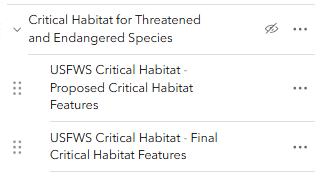
The screenshot below shows a parent layer "Critical Habitat" with two children "Proposed" and "Final". When a user selects "Proposed" under Search for Features, they will see features from this layer on the map and in the feature table, and not features from its sibling "Final".
>Support for 'Export all features' to csv from the Feature Table
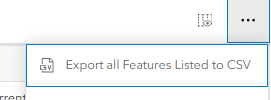
The Feature Table menu contains an additional option to Export all features to a csv in addition to exporting selected features.